
Base64 Encoding Explained for Beginners
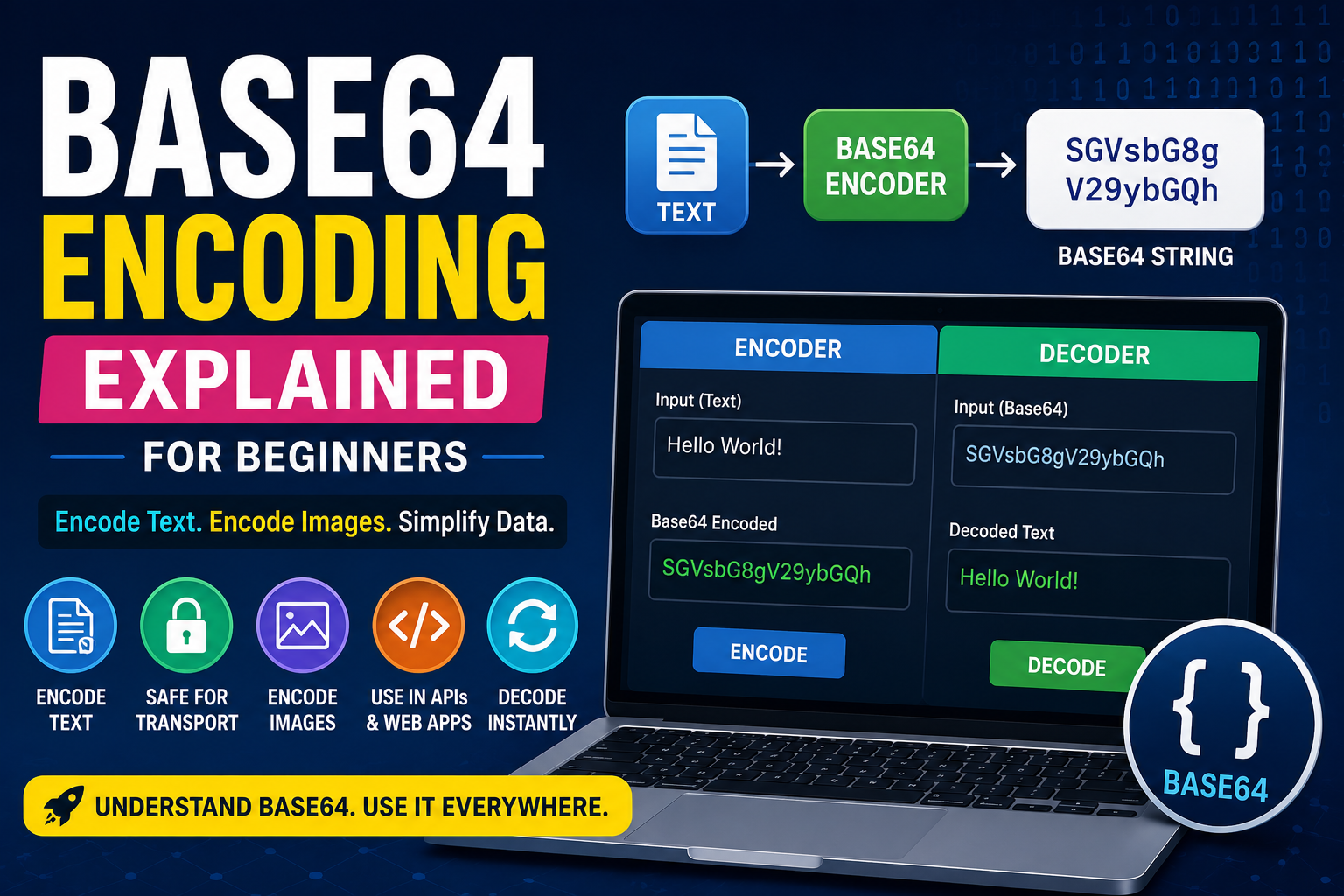
If you have ever worked with APIs, emails, images, or web applications, you have probably seen a long string of random letters, numbers, and symbols ending with one or two equals signs.
That is usually a Base64 string.
For beginners, it may look like encryption, but that is not what it is.
This guide explains what Base64 is, how Base64 encoding works, when you should use it, and how to encode text online using free browser-based tools.
What Is Base64?
Base64 is an encoding method that converts binary or text data into a format made up of readable ASCII characters.
Instead of sending raw binary data, Base64 transforms it into text that can safely travel through systems that only support plain text.
That is why Base64 is commonly used in emails, APIs, JSON data, HTML, CSS, and many other areas of web development.
It is important to remember that Base64 is not encryption.
Anyone can reverse the encoded text using a Base64 decoder.
How Does Base64 Encoding Work?
A Base64 encoder converts data into groups of 64 different characters.
Those characters include:
- Uppercase letters (A-Z)
- Lowercase letters (a-z)
- Numbers (0-9)
- Plus sign (+)
- Slash (/)
Sometimes an equals sign appears at the end as padding to make the output length a multiple of 4.
The output is called a Base64 string.
Base64 Example
Suppose you have this text:
Hello World
After Base64 encoding, it becomes:
SGVsbG8gV29ybGQ=
Using a Base64 decoder, you can instantly convert it back into:
Hello World
This simple example shows that Base64 changes the format of the data, not the data itself.
Why Do Developers Use Base64?
Base64 solves several common problems.
Developers use it for:
- Sending binary data inside JSON
- Embedding images into HTML or CSS
- Email attachments
- API requests
- Authentication tokens
- Data URLs
Without Base64, many systems would struggle to transmit binary files correctly.
Base64 Encoder vs Base64 Decoder
These tools perform opposite tasks.
A Base64 encoder converts readable text into a Base64 string.
A Base64 decoder converts the Base64 string back into its original text or binary data.
Developers frequently switch between both tools while debugging applications.
You can do both instantly using our free Base64 Encoder Decoder tool at trendproservices.co.uk/tools/base64-tool. Everything runs in your browser — nothing is uploaded to any server.
How to Encode Text Online
One of the easiest ways to work with Base64 is to encode text online.
Simply:
- Open the Base64 tool at trendproservices.co.uk/tools/base64-tool
- Enter your text in the input box
- Click Encode to Base64
- Copy the generated Base64 string
Everything happens directly in your browser without installing software. You can also paste a Base64 string and click Decode to get the original text back instantly.
Base64 Image Encoding
A Base64 image converter transforms image files into Base64 text.
This is useful when:
- Embedding small icons directly into HTML
- Creating CSS data URLs
- Sending images through APIs
- Reducing additional HTTP requests for tiny assets
However, large images usually should not be encoded because Base64 increases file size by roughly one third. Use it only for small icons and logos where the trade-off makes sense.
Base64 Is Not Encryption
One of the biggest misconceptions is believing Base64 protects sensitive information.
It does not.
Base64 simply changes how data is represented. Anyone with a Base64 decoder can recover the original content in seconds.
For sensitive information, use proper encryption such as AES or RSA instead. Never use Base64 to hide passwords, API keys or personal data.
Base64 vs URL Encoding
People often confuse Base64 with URL encoding.
They are designed for different purposes.
Base64 converts data into ASCII characters for safe transmission through text-only systems.
URL encoding replaces unsafe URL characters with percent-encoded values — for example, a space becomes %20. Use URL encoding when building query strings and URL parameters.
Our free URL Encoder Decoder tool handles URL encoding instantly at trendproservices.co.uk/tools/url-encoder-decoder.
Common Places You Will See Base64
You will encounter Base64 in everyday software development:
- JWT tokens — the header and payload sections of JSON Web Tokens are Base64URL encoded
- Email attachments — the MIME standard uses Base64 to encode file attachments
- JSON API responses — APIs often return binary data (images, PDFs) as Base64 strings
- HTML data URLs — data:image/png;base64,... embeds images directly in HTML
- CSS background images — background-image: url(data:image/png;base64,...) embeds images in stylesheets
- HTTP Basic Authentication — credentials are Base64 encoded in the Authorization header
Best Free Encoding Tools Online
Developers frequently rely on browser-based free encoding tools because they are fast and require no installation.
Useful tools available on TrendPro:
- Base64 Encoder and Decoder — trendproservices.co.uk/tools/base64-tool
- URL Encoder and Decoder — trendproservices.co.uk/tools/url-encoder-decoder
- Hash Generator (SHA-256, SHA-512) — trendproservices.co.uk/tools/hash-generator
- JWT Decoder — trendproservices.co.uk/tools/jwt-decoder
All tools run entirely in your browser. No sign-up required.
Frequently Asked Questions
Is Base64 the same as encryption? No. Base64 is encoding, not encryption. It changes how data looks but does not protect it. Anyone can decode a Base64 string instantly. For security, use proper encryption algorithms like AES-256.
Why does Base64 output end with equals signs? The equals signs are padding characters. Base64 encodes data in groups of 3 bytes into 4 characters. If the input is not a multiple of 3 bytes, padding is added to make the output length a multiple of 4. One equals sign means one byte of padding, two equals signs mean two bytes.
Does Base64 increase file size? Yes, by approximately 33%. Three bytes of input become four Base64 characters in output. This is why Base64 is recommended only for small files where eliminating an extra HTTP request is worth the size increase.
What is the difference between Base64 and Base64URL? Standard Base64 uses plus (+) and slash (/) characters which have special meaning in URLs. Base64URL replaces these with hyphen (-) and underscore (_) to produce URL-safe strings. JWT tokens use Base64URL encoding.
Can Base64 encode any file type? Yes. Base64 operates on raw bytes, not on text specifically. Images, PDFs, ZIP files, audio files — any binary file can be Base64 encoded. The result is always a plain ASCII string regardless of the original file type.