
Choosing the right color is one of the most important parts of modern web design, graphic design, and user interface development.
Whether you're designing a website, creating a social media graphic, building an app, or writing CSS, you often need to identify an exact color and convert it into a format your software can understand.
This is where a color picker becomes useful.
A good online color picker lets you select a color visually and immediately obtain values such as HEX, RGB, and sometimes HSL or other color formats.
The best part is that you don't necessarily need to install expensive design software.
Browser-based tools can handle many everyday color-related tasks directly from your browser.
In this guide, you'll learn what a color picker is, how HEX and RGB colors work, how to convert hex to rgb and rgb to hex, how to create color palettes, and how designers and developers can use these tools in real projects.
What Is a Color Picker?
A color picker is a tool that allows you to select, identify, and work with colors.
Depending on the tool, you may be able to:
- Select a color visually
- Enter a HEX value
- Enter RGB values
- Convert HEX to RGB
- Convert RGB to HEX
- Generate color variations
- Create color palettes
- Copy CSS color values
- Find colors from an image
- Preview colors in real time
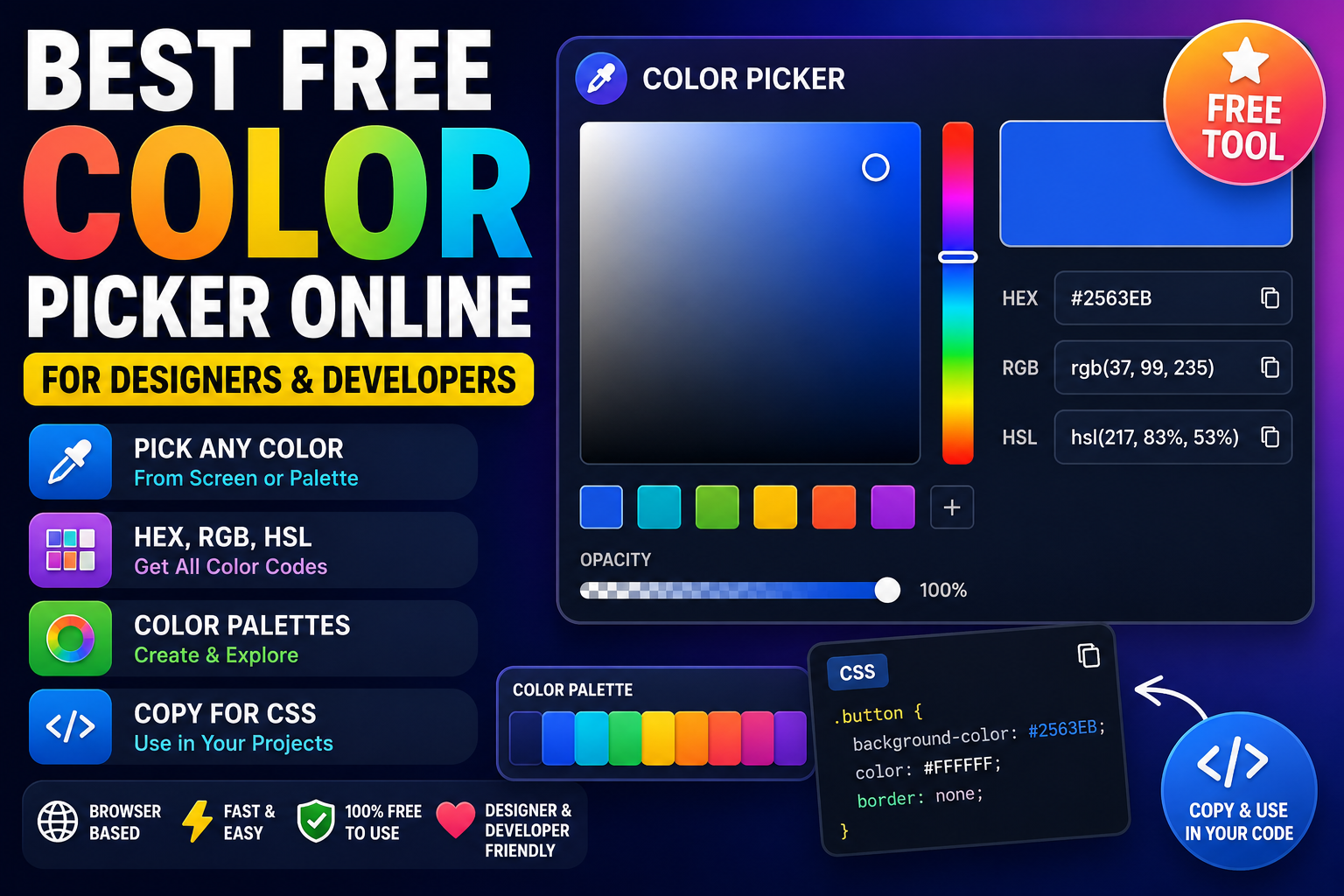
For example, you might select a blue color and receive:
HEX: #2563EB
RGB: rgb(37, 99, 235)
You can then use that value in a website, design application, CSS stylesheet, or other digital project.
What Is an Online Color Picker?
An online color picker is a browser-based version of a traditional color selection tool.
Instead of installing desktop software, you can open the tool in a web browser and immediately select or enter colors.
This makes online tools particularly convenient for:
- Web designers
- Developers
- UI designers
- Graphic designers
- Content creators
- Students
- Digital marketers
- Front-end developers
A browser-based tool can be especially useful when you only need to identify a color or convert a color format quickly.
Why Use a Browser-Based Color Picker?
Desktop design applications are powerful, but they can be unnecessary for simple color tasks.
Suppose you're editing CSS and need to convert this:
#7DAACB
into RGB.
You don't need a complete graphic design application just to perform that conversion.
A browser-based color picker can provide the result immediately.
Other advantages include:
- No installation
- Quick access
- Works across operating systems
- Easy color copying
- Useful for development
- Useful for design
- Convenient for everyday tasks
This is one reason browser based utilities are becoming useful for designers and developers.
Understanding HEX Colors
A hex color is a hexadecimal representation of a color commonly used in web development.
A standard six-digit HEX color looks like this:
#RRGGBB
The three components represent:
- RR = Red
- GG = Green
- BB = Blue
Each pair can range from:
00
to:
FF
For example:
#FF0000
represents pure red.
Another example:
#0000FF
represents pure blue.
And:
#00FF00
represents pure green.
Understanding RGB Colors
RGB stands for:
Red, Green, Blue
An rgb color is represented using three numerical values.
For example:
rgb(255, 0, 0)
represents red.
The values generally range from 0 to 255.
Examples:
rgb(0, 0, 0)
Black.
rgb(255, 255, 255)
White.
rgb(255, 0, 0)
Red.
rgb(0, 255, 0)
Green.
rgb(0, 0, 255)
Blue.
RGB is especially useful in programming and web development because it provides direct numerical control over the red, green, and blue channels.
HEX vs RGB
Both HEX and RGB can represent the same colors.
For example:
HEX:
#FF5733

RGB:
rgb(255, 87, 51)
These represent the same color.
The difference is primarily how the color is represented.
HEX
HEX is compact and commonly used in CSS.
Example:
color: #FF5733;
RGB
RGB is useful when you want to work directly with individual color channels.
Example:
color: rgb(255, 87, 51);
Both are valid CSS color formats.
How Does HEX to RGB Conversion Work?
If you're using a color picker, you may see both HEX and RGB values automatically.
But understanding the conversion is useful.
Consider:
#FF5733
Break it into three pairs:
FF
57
33
Convert each hexadecimal value into decimal:
FF = 255
57 = 87
33 = 51
Therefore:
#FF5733
becomes:
rgb(255, 87, 51)
An online color picker can perform this conversion automatically.
How Does RGB to HEX Conversion Work?
The reverse process converts RGB values into hexadecimal.
For example:
rgb(255, 87, 51)
The individual values are converted to hexadecimal:
255 = FF
87 = 57
51 = 33
The values are then combined:
#FF5733
This is why a color picker is useful for developers who frequently switch between color formats.
CSS Colors and Web Development
Colors are fundamental to CSS.
For example:
body {
  background-color: #F8FAFC;
}

button {
  background-color: #2563EB;
  color: #FFFFFF;
}
You can also use RGB:
button {
  background-color: rgb(37, 99, 235);
}
Modern CSS supports several other color formats as well.
The right format depends on your project's requirements and your preferred workflow.
Common CSS Color Formats
Modern websites can use several color representations.
HEX
color: #2563EB;
RGB
color: rgb(37, 99, 235);
RGBA
RGBA adds an alpha channel for transparency.
color: rgba(37, 99, 235, 0.5);
HSL
HSL stands for:
- Hue
- Saturation
- Lightness
Example:
color: hsl(217, 83%, 53%);
A modern color tool may provide several of these formats automatically.
What Is a Color Palette?
A color palette is a collection of colors designed to work together.
For example, a website might have:
Primary:   #2563EB
Secondary: #7C3AED
Success:   #16A34A
Warning:   #F59E0B
Danger:    #DC2626
Background:#F8FAFC
Text:      #111827
Using a defined palette creates visual consistency across a website or application.
Instead of randomly selecting different shades for every element, designers can establish a consistent color system.
How to Create a Good Color Palette
A basic palette often includes:
Primary Color
Used for major buttons, branding, and important interface elements.
Secondary Color
Used for supporting components and visual variation.
Background Color
Used for page backgrounds and containers.
Text Color
Used for headings, paragraphs, and labels.
Accent Color
Used to draw attention to specific elements.
Status Colors
These can represent:
- Success
- Warning
- Error
- Information
A color generator or online color picker can help experiment with these combinations.
Color Picker for Web Designers
Web designers frequently need to identify colors from:
- Brand guidelines
- Existing websites
- Images
- Logos
- Design mockups
- UI components
For example, imagine you're redesigning a website and need to reproduce the exact blue used in an existing button.
Instead of guessing, you can use a color picker to obtain the exact HEX value.
You can then add it to your design system.
This makes the design more consistent.
Color Picker for Developers
Developers also use color tools frequently.
Common situations include:
- Writing CSS
- Creating themes
- Building dashboards
- Designing buttons
- Styling forms
- Creating charts
- Implementing dark mode
- Matching a design mockup
For example:
.primary-button {
  background-color: #CE2626;
  color: #FFFFFF;
}
If you need a slightly lighter version of the same color, a color tool can help you experiment with different shades.
Color Picker for UI Design
In UI design, color choices affect hierarchy, readability, and visual consistency.
A typical interface may use different colors for:
- Primary actions
- Secondary actions
- Navigation
- Notifications
- Errors
- Success messages
- Backgrounds
- Borders
- Disabled controls
A color picker makes it easier to maintain exact values across all components.
This is particularly important when translating a design from tools such as Figma into actual HTML and CSS.
Choosing Accessible Colors
Picking a visually attractive color isn't enough.
You should also consider accessibility.
Text needs sufficient contrast against its background so that users can read it comfortably.
For example, light gray text on a white background may look subtle but can be difficult to read.
When selecting UI colors, consider:
- Text contrast
- Background contrast
- Button readability
- Focus states
- Hover states
- Disabled states
- Dark mode
- Users with visual impairments
Color should support usability rather than simply decoration.
Color Picker and Branding
Businesses often use a defined set of brand colors.
For example:
Primary Blue: #2563EB
Dark Blue:    #1E3A8A
Light Blue:   #DBEAFE
White:        #FFFFFF
Dark Text:    #111827
Keeping these values consistent across:
- Websites
- Logos
- Social media
- Presentations
- Advertisements
- Mobile applications
helps maintain a recognizable visual identity.
A color picker makes it easy to identify and reproduce those colors.
How to Pick a Color From an Image
Some advanced design tools can identify colors from an uploaded image.
For example, imagine you have a photograph containing a particular shade of blue.
A color extraction tool can analyze the image and provide approximate color values.
This can be useful when creating:
- Website palettes
- Social media graphics
- Presentation themes
- Brand concepts
- UI designs
You can then refine those colors using a color picker.
Color Generator vs Color Picker
These tools are related but serve different purposes.
Color Picker
A color picker helps you select or identify a specific color.
Color Generator
A color generator typically creates new color combinations, shades, gradients, or palettes.
For example, you might start with:
#2563EB
A color generator could produce related colors such as lighter and darker variations.
A color picker, meanwhile, helps you identify or select the exact color you want.
Many modern online utilities combine both capabilities.
Common Color Picker Use Cases
A free online color picker can be useful for:
Website Development
Find exact CSS colors for a website.
Graphic Design
Match colors across design elements.
UI Design
Create consistent interface components.
Branding
Identify and reproduce brand colors.
Social Media
Create consistent visual content.
Photography
Extract colors from images.
Digital Marketing
Maintain consistent campaign branding.
Coding
Quickly convert color values between formats.
Common Color Conversion Examples
Here are several common examples.
Black
HEX: #000000
RGB: rgb(0, 0, 0)
White
HEX: #FFFFFF
RGB: rgb(255, 255, 255)
Red
HEX: #FF0000
RGB: rgb(255, 0, 0)
Green
HEX: #00FF00
RGB: rgb(0, 255, 0)
Blue
HEX: #0000FF
RGB: rgb(0, 0, 255)
TrendPro Red
HEX: #CE2626
RGB: rgb(206, 38, 38)
These examples demonstrate how the same color can be represented using different formats.
How to Use a Free Online Color Picker
Using a browser-based color tool is usually straightforward.
Step 1: Open the Color Picker
Open the tool in your browser.
Step 2: Select a Color
Use the color spectrum, sliders, or picker interface.
Step 3: View the Color Values
The tool may provide:
- HEX
- RGB
- HSL
- Other formats
Step 4: Copy the Value
Copy the color code you need.
Step 5: Use It in Your Project
For example:
.card {
  background-color: #2563EB;
}
That's it.
There is no need to install a large application for a simple color selection task.
Color Picker for CSS Development
Suppose you're building a website and want to style a button.
You select a color:
#7DAACB
Then use it in CSS:
.button {
  background-color: #7DAACB;
}
You could also convert it to RGB:
.button {
  background-color: rgb(125, 170, 203);
}
This workflow is common in front-end development.
Color Picker for Dark Mode
Dark mode requires more than simply changing white to black.
A good dark interface may use several dark shades:
Background: #0F172A
Surface:    #1E293B
Border:     #334155
Text:       #F8FAFC
Muted Text: #94A3B8
Accent:     #60A5FA
A color picker makes it easier to adjust each value and maintain a consistent dark theme.
When designing dark mode, pay particular attention to contrast and readability.
Common Color Selection Mistakes
Using Too Many Colors
A website with dozens of unrelated colors can look inconsistent.
A limited palette is usually easier to manage.
Ignoring Contrast
A beautiful color combination can still be difficult to read.
Always check text and background contrast.
Changing Colors Randomly
Changing the same color slightly across different components creates inconsistency.
Use defined color values.
Copying Colors Without Checking Context
A color that works well in one design may not work well in another.
Consider the surrounding colors and interface elements.
Ignoring Hover and Focus States
Interactive elements need clear states.
For example:
button {
  background-color: #2563EB;
}

button:hover {
  background-color: #1D4ED8;
}
A color picker can help you find suitable variations.
Color Picker Tools vs Design Software
Professional design software provides extensive color management features.
However, you don't always need a complete design application.
Online Color Picker
Best for:
- Quick color selection
- HEX/RGB conversion
- Simple palette creation
- Everyday development tasks
- Fast browser-based work
Professional Design Software
Best for:
- Complex graphic design
- Layer-based editing
- Advanced color management
- Illustration
- Professional image manipulation
For simple color-related tasks, a free online tool can be significantly faster.
Why Designers and Developers Use Online Utilities
Modern workflows often involve many small tasks.
You might need to:
- Convert an image
- Compress an image
- Format JSON
- Pick a color
- Convert HEX to RGB
- Resize an image
- Check text
- Optimize a PDF
Installing separate software for every task isn't efficient.
This is where online utilities and browser-based tools can save time.
A collection of lightweight tools can function as a practical digital toolkit.
Other Useful Tools for Designers and Developers
Color selection is only one part of a digital workflow.
You may also need an image converter when working with different image formats.
An image compressor can help reduce image file sizes before uploading them to a website.
Developers may also need a JSON formatter when working with API responses and configuration files.
Having these tools available in the browser makes everyday tasks faster.
Frequently Asked Questions
What is a color picker?
A color picker is a tool that lets you select or identify a specific color and obtain values such as HEX or RGB.
What is an online color picker?
An online color picker is a browser-based tool that lets you select and convert colors without installing desktop software.
What is a HEX color?
A HEX color is a hexadecimal representation of a color commonly used in HTML and CSS.
What is RGB?
RGB stands for Red, Green, and Blue. It represents colors using three numerical values, generally ranging from 0 to 255.
How do I convert HEX to RGB?
Break the HEX value into its red, green, and blue pairs and convert each hexadecimal pair into its decimal value. An online color picker can perform this automatically.
How do I convert RGB to HEX?
Convert each RGB value into hexadecimal and combine the three resulting values into a six-digit HEX color.
What is the difference between HEX and RGB?
HEX represents colors using hexadecimal notation, while RGB represents them using numerical red, green, and blue values.
Can I use an online color picker for CSS?
Yes. You can copy the HEX, RGB, or other supported color value and use it directly in CSS.
Are free color picker tools useful for professional work?
Yes. For simple color identification, conversion, and palette tasks, free browser-based tools can be extremely useful. Complex projects may still require professional design software.
What is a color palette?
A color palette is a collection of colors selected to work together consistently within a design, website, brand, or application.
What is the best color format for CSS?
There isn't one universally best format. HEX is concise and widely used, while RGB and other formats can be useful depending on the project and required functionality.
Final Thoughts
A color picker is a small tool, but it can solve a surprisingly large number of everyday design and development problems.
Whether you're a web designer choosing a brand color, a developer writing CSS, a UI designer building an interface, or a creator preparing digital content, quickly identifying and converting colors can save time.
An online color picker is particularly useful because it removes the need for complicated software when you only need a simple color-related function.
You can select a color, copy its hex color value, obtain its rgb color equivalent, create a color palette, and use the result directly in your project.
For web development, understanding HEX, RGB, CSS colors, and basic color accessibility is more valuable than simply memorizing color codes.
The best workflow is to use color tools as part of a larger design and development toolkit.
If you regularly work with images, websites, or code, browser-based developer tools, design tools, and other free design tools can help you complete small tasks without constantly switching between applications.
For quick color selection and conversion, a free browser-based color picker is often all you need.