
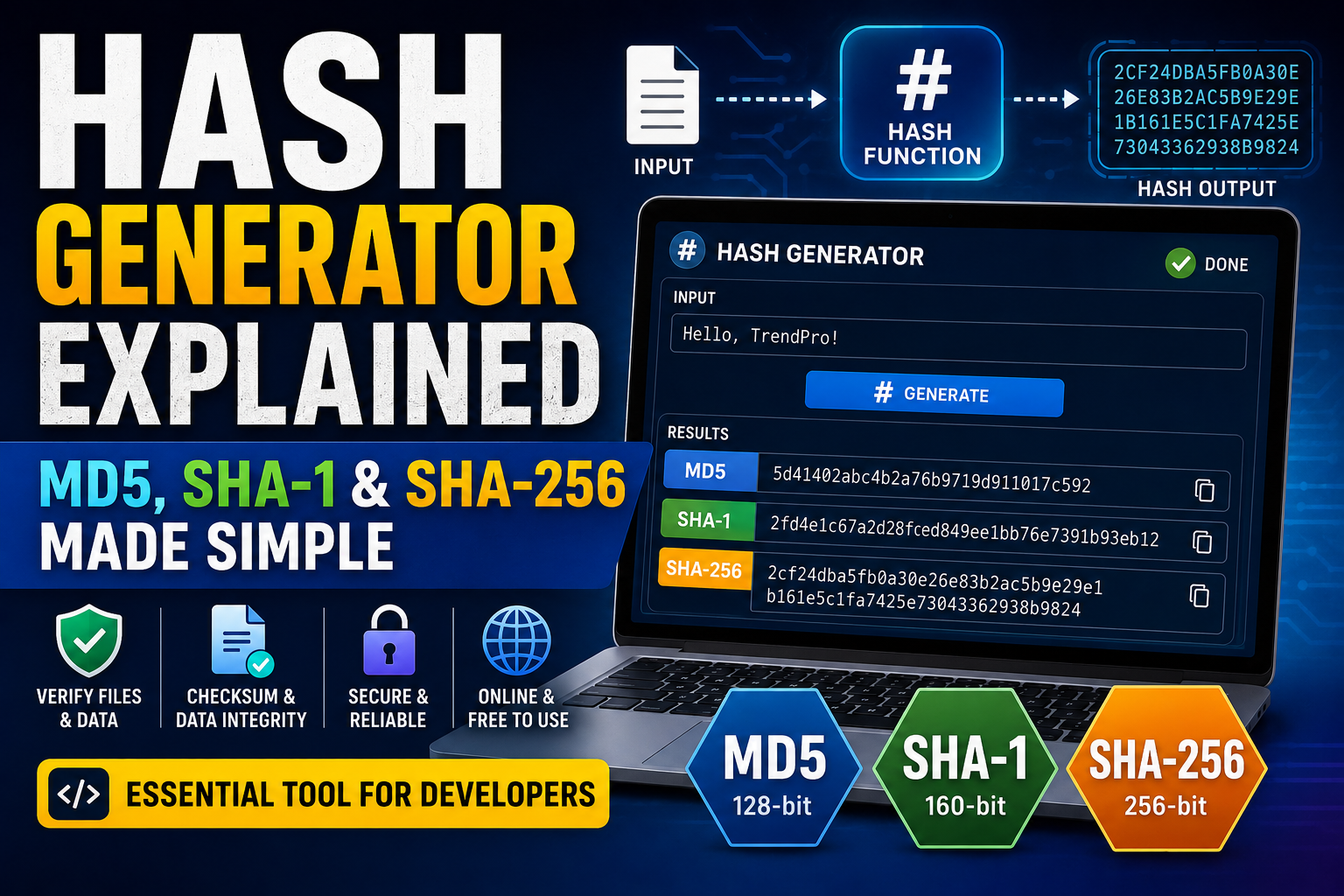
If you have ever downloaded a file and seen a long string such as:
5d41402abc4b2a76b9719d911017c592you have probably encountered a hash.
Hashes are everywhere in modern computing. Developers use them to verify files, detect accidental changes, compare data, identify content, and build security systems.
A hash generator makes this process simple. You provide data such as text or a file, and the tool processes it through a hash function to produce a fixed-length value called a hash or digest.
Popular algorithms include MD5, SHA-1, and SHA-256. Although they all generate hashes, they are not equally secure and should not be treated as interchangeable.
In this guide, you'll learn what hashing is, how a hash generator works, how MD5 compares with SHA-1 and SHA-256, what checksums are used for, and when each algorithm is appropriate.
What Is a Hash?
A hash is a fixed-length value produced from input data by a hash function.
The input can be almost anything:
- Text
- Files
- Documents
- Images
- Software
- Database records
- API data
- Other digital information
For example, a simple piece of text such as:
Hellocan be processed using a hashing algorithm to produce a digest.
The important property is that even a small change to the input should produce a significantly different hash.
For example:
Helloand:
helloare different inputs, so their hashes will also be different.
This makes hashes useful for detecting changes.
What Is a Hash Generator?
A hash generator is a tool that calculates a hash from supplied data.
A typical hash generator may allow you to choose algorithms such as:
- MD5
- SHA-1
- SHA-256
- SHA-512
You enter text or upload a file, select the desired algorithm, and the tool calculates the resulting digest.
A browser-based online hash generator can be useful when you need a quick result without installing dedicated software.
How Does Hashing Work?
At a high level, hashing works like this:
- You provide input data.
- The hash function processes the data.
- The algorithm performs a series of mathematical operations.
- The function produces a fixed-size digest.
- The digest represents the input.
For example:
Input
  ↓
Hash Function
  ↓
Hash Digest
The output length depends on the algorithm.
For SHA-256, the digest contains 256 bits.
When represented using hexadecimal characters, that becomes 64 hexadecimal characters.
Hashing vs Encryption
Hashing and encryption are often confused, but they are fundamentally different.
Hashing
Hashing is generally designed to be a one-way transformation.
You start with:
Original Data → HashThe normal goal is not to decrypt the hash back into the original data.
Encryption
Encryption is designed to protect information while allowing authorized parties to recover it using a key.
The basic concept is:
Plaintext → Encryption → Ciphertext
Ciphertext → Decryption → Plaintext
Therefore, a hash generator is not an encryption tool.
If you need confidentiality and reversible data protection, encryption is the appropriate technology.
What Is a Hash Function?
A hash function takes input data and produces a deterministic output.
For a given cryptographic hash function:
same input → same hashThis property is useful for verification and comparison.
A cryptographic hash function is generally designed to have properties such as:
- Deterministic output
- Efficient computation
- Resistance to finding a matching input
- Strong sensitivity to input changes
- Resistance to certain types of collision attacks
Different hash functions provide different security properties.
What Is a Checksum?
A checksum is a value calculated from data and used to detect errors or changes.
The term is broader than cryptographic hashing.
Checksums can be used to detect:
- Accidental file corruption
- Transmission errors
- Download problems
- Storage errors
- Data changes
A file checksum can help you determine whether a downloaded file matches a known expected value.
Cryptographic hashes such as SHA-256 can serve as checksums, but not every checksum algorithm is designed for cybersecurity.
MD5 Explained
MD5 stands for Message-Digest Algorithm 5.
It produces a 128-bit digest.
When represented in hexadecimal, an MD5 hash is 32 characters long.
Example format:
5d41402abc4b2a76b9719d911017c592MD5 was historically popular because it is fast and easy to calculate.
However, serious cryptographic weaknesses have been demonstrated against MD5.
In particular, practical collision attacks mean that MD5 should not be considered secure for modern cryptographic applications.
Is MD5 Secure?
For security-sensitive applications, MD5 should not be used as a modern cryptographic security mechanism.
It can still be encountered in legacy systems and non-adversarial integrity checks.
For example, an old software download page might provide an MD5 checksum.
That does not mean MD5 is suitable for password storage, digital signatures, or security-critical integrity protection.
If an attacker can deliberately manipulate files or messages, MD5 is not an appropriate choice.
SHA-1 Explained
SHA-1 is another cryptographic hash function.
It produces a 160-bit digest.
A SHA-1 hash represented in hexadecimal contains 40 characters.
Example format:
2fd4e1c67a2d28fced849ee1bb76e7391b93eb12SHA-1 was widely used in older software and security systems.
However, collision attacks against SHA-1 have been demonstrated.
As a result, SHA-1 is considered deprecated for many security-sensitive applications.
Is SHA-1 Secure?
SHA-1 should not be your default choice for new security-sensitive systems.
Modern applications should generally use stronger algorithms such as SHA-256 or SHA-512 when a general-purpose cryptographic hash is required.
You may still encounter SHA-1 in:
- Legacy software
- Older certificates
- Existing systems
- Historical documentation
- Compatibility requirements
But encountering SHA-1 in an old system does not make it a good choice for a new system.
SHA-256 Explained
SHA-256 belongs to the SHA-2 family of cryptographic hash functions.
It produces a 256-bit digest.
In hexadecimal representation, the result contains 64 characters.
Example format:
2cf24dba5fb0a30e26e83b2ac5b9e29e1b161e5c1fa7425e73043362938b9824SHA-256 is widely used today for many security and integrity applications.
It is commonly encountered in:
- Software verification
- Digital signatures
- Certificates
- Blockchain systems
- File integrity checks
- Security protocols
- Developer workflows
For general-purpose cryptographic hashing, SHA-256 is a much more appropriate modern choice than MD5 or SHA-1.
MD5 vs SHA-1 vs SHA-256
The three algorithms differ in digest size and security characteristics.
| Algorithm | Digest Size | Hex Length | Modern Security Use |
|---|---|---|---|
| MD5 | 128 bits | 32 characters | Not recommended for security |
| SHA-1 | 160 bits | 40 characters | Deprecated for security-sensitive use |
| SHA-256 | 256 bits | 64 characters | Widely used |
The key point is that a longer hash is not automatically better in every possible sense, but modern cryptographic design and resistance to known attacks make SHA-256 the sensible choice among these three for many security-related applications.
What Is Hash Online Used For?
A hash online tool can be useful for quick calculations.
Common uses include:
- Checking a text hash
- Comparing file hashes
- Verifying downloads
- Learning cryptographic hashing
- Testing application output
- Debugging developer workflows
- Comparing data
However, you should be careful when entering sensitive information into any online service.
Do not upload confidential files, private credentials, API keys, personal documents, or other sensitive information to an online hash calculator unless you trust the service and understand how it handles the data.
What Is a Hash Calculator?
A hash calculator is another common name for a tool that computes hash values.
The terminology varies between websites.
Some tools call themselves:
- Hash generator
- Hash calculator
- Online hash generator
- Checksum generator
- Hash checker
The underlying concept is similar: the tool calculates a digest from supplied data.
What Is a Checksum Generator?
A checksum generator calculates a checksum or hash from data.
For files, this can be especially useful.
Suppose you download a large software file and the publisher provides an expected SHA-256 value.
You can calculate the file's SHA-256 hash and compare the two values.
If they match, that provides strong evidence that the file contents are identical to the publisher's expected file.
If they don't match, the file may have been:
- Corrupted
- Incompletely downloaded
- Modified
- Replaced
- Generated differently
A matching hash is useful evidence, but the security value depends on how the expected hash was obtained and protected.
Why Does a Tiny Change Produce a Different Hash?
Cryptographic hash functions are designed to have a strong avalanche effect.
That means a small change in the input can cause many bits of the output to change.
Consider:
TrendProversus:
TrendPro!The added exclamation mark is only one character, but the resulting hashes should look completely unrelated.
This property makes hashes useful for detecting modifications.
What Is a Hash Collision?
A collision occurs when two different inputs produce the same hash.
Conceptually:
Input A → Hash X
Input B → Hash X
where:
Input A ≠ Input BCollisions are important in cryptography because attackers may attempt to construct different data that produces the same digest.
This is one reason older algorithms such as MD5 and SHA-1 are no longer considered suitable for many security applications.
Collision Resistance
A cryptographic hash function should make it computationally difficult to find two different inputs that produce the same hash.
This property is called collision resistance.
When weaknesses are discovered that make collisions significantly easier to produce, the algorithm may become unsuitable for security-sensitive applications.
That is what happened with MD5 and SHA-1.
Hashing and Password Security
Hashing has historically been associated with password storage, but there is an important distinction.
You should not simply hash passwords with MD5 or SHA-256 and store the result.
Password storage requires specialized password-hashing functions designed to make large-scale guessing attacks expensive.
Modern applications should use dedicated password hashing algorithms such as:
- Argon2id
- bcrypt
- scrypt
- PBKDF2
These algorithms incorporate mechanisms such as salts and deliberately expensive computation.
A general-purpose hash function like SHA-256 is designed for speed, which is useful for integrity verification but undesirable for password-guessing resistance.
What Is a Salt?
A salt is a unique random value added to a password before password hashing.
Conceptually:
Password + Salt → Password HashA unique salt helps prevent attackers from efficiently using precomputed tables against many users who happen to have the same password.
Modern password-hashing libraries normally handle salt generation and storage as part of their design.
Hashing for Data Integrity
One of the most useful applications of cryptographic hashes is data integrity.
Suppose you have a file.
You calculate its SHA-256 hash:
File → SHA-256 → Expected HashLater, you calculate the hash again:
File → SHA-256 → New HashIf the values match, the file contents are the same with respect to the hash calculation.
If they differ, something about the file has changed.
This is why SHA-256 is commonly used for file verification.
File Checksums
A file checksum is particularly useful when transferring or downloading large files.
For example, a software developer might publish:
SHA-256:
2cf24dba5fb0a30e26e83b2ac5b9e29e1b161e5c1fa7425e73043362938b9824
Users can calculate the SHA-256 hash of their downloaded file and compare it with the published value.
This can help identify accidental corruption or unexpected modifications.
Hashes in Software Development
Developers use hashes in many areas of software development.
Examples include:
- File verification
- Content addressing
- Caching
- Data structures
- Deduplication
- Digital signatures
- Integrity checks
- Database systems
- Authentication systems
- Distributed systems
The exact hashing algorithm depends on the use case.
A fast non-cryptographic hash may be appropriate for a hash table, while a cryptographic hash may be required for security-related integrity verification.
Hashes in APIs
Hashes can also appear in API systems.
For example, an application might calculate a digest of request data for integrity verification or use hashing as part of an authentication protocol.
However, developers should not invent their own cryptographic authentication schemes.
Use established protocols and libraries whenever possible.
Hashing and Digital Signatures
Digital signatures rely on cryptographic techniques that commonly involve hashing.
Instead of signing an enormous document directly, a system can calculate a cryptographic digest and use the appropriate signature algorithm to sign that digest.
Conceptually:
Document
   ↓
Hash Function
   ↓
Digest
   ↓
Digital Signature Algorithm
   ↓
Signature
The exact construction depends on the cryptographic system being used.
Hashing in Blockchain
Cryptographic hashes are also heavily used in blockchain systems.
A blockchain can use hashes to connect blocks and make modifications easier to detect.
Hash functions can also appear in:
- Transaction identifiers
- Block identifiers
- Proof-of-work systems
- Merkle trees
Different blockchain systems use different cryptographic designs, so hashing should not be treated as synonymous with blockchain technology.
Hashing vs Encoding
Hashing is also different from encoding.
For example, Base64 encoding can transform:
Hellointo:
SGVsbG8=Base64 is reversible.
You can decode the Base64 string back into the original data.
Hashing is designed differently.
A hash function produces a digest that is not intended to be reversed into the original input.
Therefore:
Encoding is not encryption, and hashing is not encoding.
These distinctions matter when choosing developer tools.
Hash Generator for Developers
A free hash generator can be useful during development when you need to quickly verify an expected hash.
For example, you might be debugging an application that calculates SHA-256 values.
You can enter the same input into a trusted hash calculator and compare the result with your application's output.
This can help determine whether the problem is:
- Incorrect input
- Character encoding
- Algorithm selection
- Hexadecimal conversion
- Application logic
Character Encoding Can Affect Hashes
One subtle issue is character encoding.
A hash is calculated from bytes, not from some abstract concept of "text."
The same visible text can have different byte representations under different encodings.
For example, Unicode characters can be represented using UTF-8 or other encodings.
Therefore, when comparing hashes generated by different systems, make sure that:
- The input is identical
- The encoding is identical
- The algorithm is identical
- The output format is identical
Otherwise, you may get different hashes even when the displayed text appears identical.
Hexadecimal Hash Output
Hashes are often displayed using hexadecimal characters.
Hexadecimal uses:
0 1 2 3 4 5 6 7 8 9 A B C D E FEach hexadecimal character represents four bits.
Therefore:
- 128 bits = 32 hexadecimal characters
- 160 bits = 40 hexadecimal characters
- 256 bits = 64 hexadecimal characters
This is why MD5, SHA-1, and SHA-256 outputs commonly have different visible lengths.
Can You Reverse a Hash?
Cryptographic hashes are designed to make recovering the original input computationally difficult.
However, saying that a hash is "impossible to reverse" would be too simplistic.
If the original input comes from a small or predictable set, attackers can try many possible inputs and compare their hashes.
For example, a weak password may be guessed through:
- Dictionary attacks
- Brute-force attacks
- Credential attacks
- Password reuse
- Precomputed data
This is why hashing alone does not magically make weak secrets secure.
Hash Cracking
Hash cracking generally refers to attempting to discover an input that produces a known hash.
For example, an attacker might obtain a password hash and then test candidate passwords.
If:
Hash(candidate password) = Stored Hashthe candidate may be the original password.
The difficulty depends heavily on the type of hash, the input space, password strength, salts, and the hashing algorithm.
This is another reason why password storage should use dedicated password-hashing algorithms rather than fast general-purpose hashes.
Security Best Practices for Hashing
When using hashes in software, follow established cryptographic practices.
Use Modern Algorithms
For general cryptographic hashing, use established algorithms such as SHA-256 or SHA-512 where appropriate.
Avoid MD5 for Security
MD5 is obsolete for cryptographic security applications.
Avoid SHA-1 for New Security Systems
SHA-1 has known collision weaknesses and should not be selected for new security-sensitive designs.
Use Password-Specific Hashing
For passwords, use Argon2id, bcrypt, scrypt, or PBKDF2 rather than a simple SHA-256 hash.
Use Established Libraries
Don't implement cryptographic algorithms yourself unless you have a very specific expert-level reason.
Protect Sensitive Input
If you use an online hash tool, don't enter confidential information unless you understand the privacy and security implications.
How to Choose the Right Hash Algorithm
Your choice depends on the task.
For File Integrity
SHA-256 is a strong general-purpose choice when supported by the surrounding system.
For Legacy Compatibility
You may encounter MD5 or SHA-1, but their presence does not mean they should be used for new security applications.
For Password Storage
Use a dedicated password hashing algorithm such as Argon2id.
For Digital Signatures
Use the hash algorithm specified by the cryptographic signature scheme and standards you are implementing.
For Non-Security Data Structures
A non-cryptographic hash may be appropriate when security is not required.
The correct algorithm depends on the threat model and technical requirements.
How to Use an Online Hash Generator
Using an online hash generator is generally straightforward.
Step 1: Choose Your Input
Enter text or select a file, depending on what the tool supports.
Step 2: Select the Algorithm
Choose an algorithm such as:
MD5
SHA-1
SHA-256
Step 3: Generate the Hash
Run the calculation.
Step 4: Copy the Digest
Copy the resulting hash carefully.
Step 5: Compare or Verify
Compare it with the expected value when performing an integrity check.
Always make sure you're using the same algorithm and input encoding when comparing results.
Common Hash Generator Mistakes
Mistake 1: Treating Hashing as Encryption
Hashing is not a replacement for encryption.
Mistake 2: Using MD5 for Passwords
MD5 is not an appropriate password storage algorithm.
Mistake 3: Using SHA-256 Directly for Password Storage
SHA-256 is a fast general-purpose hash. Password storage requires a password-specific hashing scheme.
Mistake 4: Ignoring Input Encoding
Different byte representations can produce different hashes.
Mistake 5: Assuming Matching Hashes Prove Authenticity
A hash comparison can demonstrate that two values match, but it does not automatically prove who created the file or that the expected hash itself is trustworthy.
For authenticity, use appropriate digital signatures or authenticated distribution mechanisms.
Hash Generator vs Checksum Generator
The terms can overlap, but their typical emphasis differs.
A hash generator usually focuses on calculating cryptographic or other hash values.
A checksum generator usually emphasizes detecting accidental changes or transmission errors.
For example:
| Tool | Typical Purpose |
|---|---|
| Hash Generator | Calculate a hash digest |
| Checksum Generator | Calculate a checksum for comparison |
| Hash Calculator | Another term for hash generation |
| File Hash Tool | Calculate a hash from a file |
The exact terminology varies between applications.
Why SHA-256 Is Popular
SHA-256 has become widely used because it provides a strong security level for many general-purpose cryptographic hashing applications while being efficiently implemented across modern platforms.
It is also widely supported by:
- Operating systems
- Programming languages
- Security libraries
- Developer tools
- Cloud platforms
- Software distribution systems
This makes SHA-256 a practical choice for many integrity and security workflows.
Frequently Asked Questions
What is a hash generator?
A hash generator is a tool that calculates a hash value from text, files, or other input data using a selected hash algorithm.
What is an MD5 generator?
An MD5 generator calculates an MD5 digest from supplied input. MD5 is useful for understanding legacy systems and some non-adversarial compatibility workflows, but it is not recommended for modern cryptographic security.
What is a SHA-256 generator?
A SHA-256 generator calculates a 256-bit digest from input data. SHA-256 is widely used for file verification and other cryptographic applications.
Is SHA-256 encryption?
No. SHA-256 is a cryptographic hash function, not an encryption algorithm.
Is MD5 secure?
No. MD5 has practical collision weaknesses and should not be used for modern security-sensitive cryptographic applications.
Is SHA-1 secure?
SHA-1 is considered unsuitable for many modern security-sensitive applications because practical collision attacks have been demonstrated.
What is the difference between MD5 and SHA-256?
MD5 produces a 128-bit digest, while SHA-256 produces a 256-bit digest. More importantly, MD5 has serious collision weaknesses, whereas SHA-256 remains widely used for modern cryptographic hashing.
What is a checksum?
A checksum is a value calculated from data to help detect changes or errors. Cryptographic hashes can be used as strong integrity checks, but checksum algorithms are not necessarily cryptographically secure.
Can a hash be decrypted?
No. Hashing is not encryption and does not normally provide a decryption operation. However, an attacker may guess possible inputs and compare their hashes.
Can I use SHA-256 for passwords?
You should not use plain SHA-256 alone for password storage. Use a dedicated password-hashing algorithm such as Argon2id, bcrypt, scrypt, or PBKDF2.
What is a file checksum?
A file checksum is a calculated value derived from a file and used to compare the file against an expected value or another copy.
What is the best hash algorithm?
There is no universal "best" algorithm for every task. For many general cryptographic integrity applications, SHA-256 is a strong and widely supported choice. Passwords require dedicated password-hashing algorithms.
Is an online hash generator safe?
It depends on the service. Avoid entering passwords, private keys, confidential documents, API secrets, or other sensitive information into an online service unless you trust its security and privacy practices.
Final Thoughts
Hashing is one of the fundamental concepts behind modern software and cybersecurity.
A hash generator gives developers and everyday users a convenient way to calculate hashes from text and files.
MD5, SHA-1, and SHA-256 may look similar because they all produce hash values, but their security properties are different.
MD5 and SHA-1 are important historically and may still appear in legacy systems, but they should not be selected for new security-sensitive applications.
SHA-256 is a much more appropriate modern choice for many general-purpose cryptographic hashing and file-integrity tasks.
The most important distinction to remember is that hashing is not encryption. A hash is primarily useful for verification, comparison, integrity checking, and other one-way transformations.
If you're working with files, APIs, software, or web applications, a reliable hash calculator, checksum generator, and other developer utility tools online can make debugging and verification much easier.
Use the right algorithm for the job, avoid obsolete cryptographic designs, and never assume that a hash by itself provides confidentiality or authenticity.