
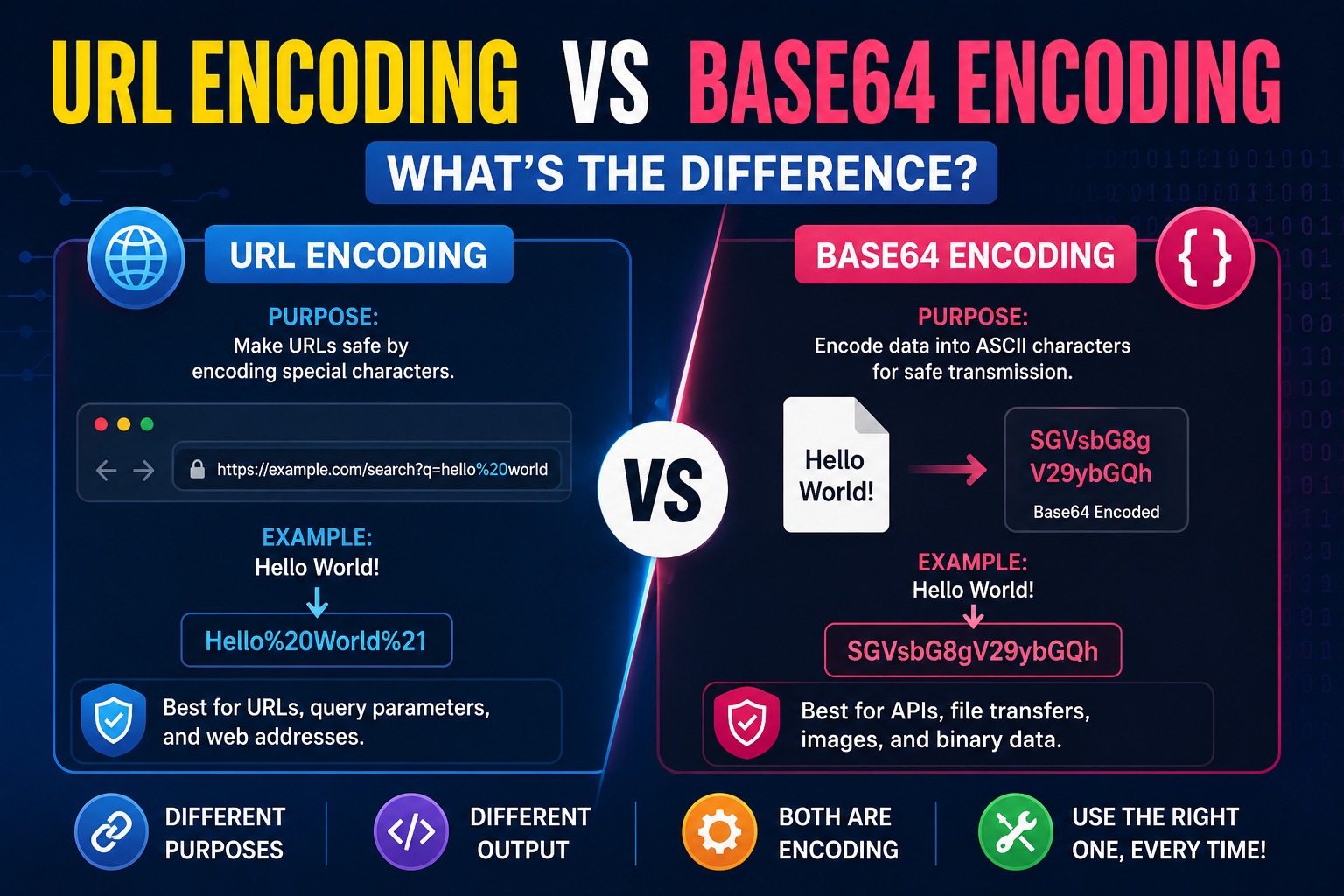
Many beginners assume URL encoding and Base64 encoding are the same thing because both change the appearance of text.
In reality, they solve completely different problems.
Knowing which one to use can prevent broken links, API errors, and unexpected bugs in your applications.
This guide compares both encoding methods, explains when to use each one, and shows why they're essential in modern web development.

What Is URL Encoding?
URL encoding converts special characters into a format that browsers and web servers can safely understand.
For example, spaces cannot appear directly inside a URL.
Instead, they are converted into encoded values.
Example:
Original:
Hello World
URL Encoded:
Hello%20World
Using a URL encoder automatically performs this conversion.
What Is Base64 Encoding?
Base64 encoding converts text or binary data into a readable ASCII format.
Unlike URL encoding, Base64 is designed to safely transfer data through systems that only support text.
Example:
Original:
Hello World
Base64 Encoded:
SGVsbG8gV29ybGQ=
A Base64 encoder creates this encoded string, while a Base64 decoder converts it back into the original content.
URL Encoding vs Base64 Encoding
Although both transform data, their purposes are very different.
| URL Encoding | Base64 Encoding |
|---|---|
| Makes URLs safe | Converts binary or text into ASCII |
| Used for query parameters | Used for APIs, emails, images, tokens |
| Replaces special characters | Creates a completely different encoded string |
| Keeps URLs valid | Makes data easier to transmit |
Understanding this encoding comparison helps developers choose the correct method for each situation.
When Should You Encode a URL?
You should encode URL values whenever your URL contains:
- Spaces
- Special characters
- Symbols
- Unicode characters
- User input
Without proper encoding, browsers may misinterpret the address.
A reliable URL encoder prevents these issues automatically.
When Should You Use Base64?
Base64 is commonly used for:
- API requests
- Email attachments
- HTML data URLs
- CSS embedded images
- Authentication tokens
- Binary file transfer
A Base64 converter makes this process quick and simple.
URL Encode Decode
Many online tools support both URL encode decode operations.
You can:
- Encode text before sending it.
- Decode encoded URLs.
- Test query strings.
- Verify API parameters.
Using a URL decoder is especially helpful when debugging long URLs.
API Encoding
Modern applications rely heavily on API encoding.
URL encoding is used for:
- Query parameters
- Search requests
- Form submissions
Base64 encoding is commonly used for:
- Authentication
- Binary uploads
- JSON payloads
- Images
Choosing the wrong encoding method can cause API requests to fail.
Text Encoding Explained
Both URL encoding and Base64 are forms of text encoding, but they solve different technical problems.
URL encoding protects URLs.
Base64 protects data during transmission.
Understanding the purpose of each prevents unnecessary debugging later.
Online Encoding Tools
Modern online encoder tools make encoding effortless.
Instead of writing custom scripts, you can instantly:
- Encode URLs
- Decode URLs
- Encode Base64
- Decode Base64
- Verify encoded data
These free encoding tools work directly in your browser.
Browser-Based Developer Utilities
Today's developers increasingly rely on browser based utilities.
There's no need to install extra software for simple conversion tasks.
Many developer tools now work entirely online, making development faster on any operating system.
Whether you're testing APIs or debugging applications, developer utility tools online save valuable time.
Best Practices
When working with encoded data, remember these simple guidelines:
- Use URL encoding only for URLs.
- Use Base64 for transmitting text or binary data.
- Never confuse Base64 with encryption.
- Decode data before debugging.
- Test encoded values before deployment.
Following these habits reduces common development mistakes.
Final Thoughts
Understanding the difference between URL encoding and Base64 encoding is an important skill for every developer.
Using the correct method improves compatibility, prevents errors, and makes APIs easier to work with.
Whether you need a URL encoder, URL decoder, Base64 encoder, Base64 converter, or other online text utilities, browser-based tools can simplify your daily workflow.
If you're looking for the best free online tools website, a website with many useful tools, or an all in one productivity tools site, TrendPro offers online tools without signup for developers, students, and professionals.
You'll find developer utility tools online, free browser based utilities, JSON formatter and converter online, free PDF and image tools online, online text utilities, and a growing collection of free SEO tools website resources. It's also one of the practical alternatives to SmallSEOTools, making it a useful website for daily use tools, a best toolkit website for students, and a collection of free web tools for creators.