
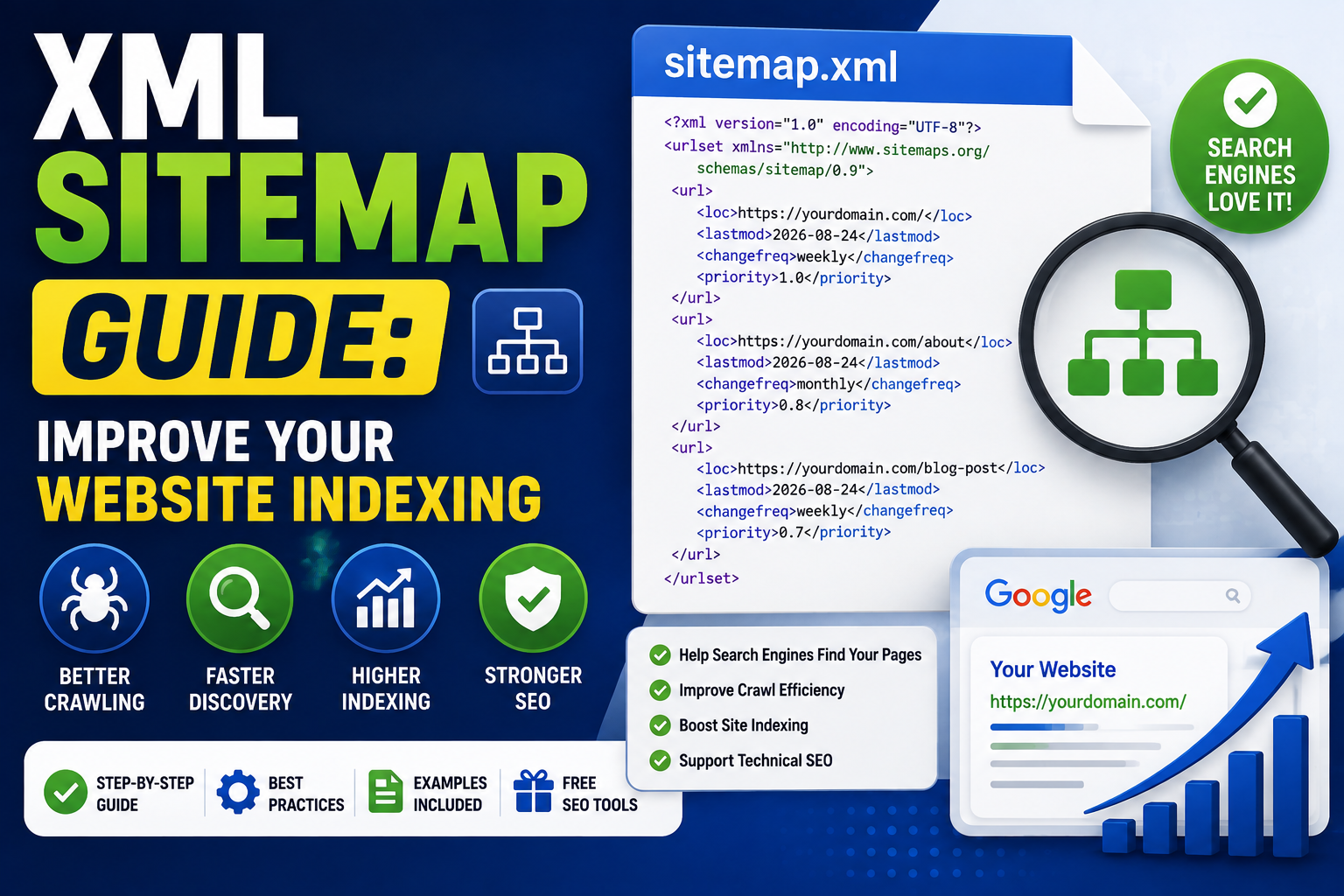
Search engines need to discover your website's pages before they can crawl and potentially index them.
For small websites, search engines can often discover important pages naturally through internal links. But as a website grows, having a clear list of important URLs becomes increasingly useful.
This is where an XML sitemap comes in.
An XML sitemap provides search engines with information about the URLs you want them to discover and understand.
A sitemap does not guarantee that every URL will be indexed or improve your rankings automatically. Instead, it is a technical SEO tool that can help search engines discover important pages more efficiently.
In this guide, you'll learn what an XML sitemap is, how it works, how to create one, how to submit it through Google Search Console, and how to avoid common sitemap mistakes.
What Is an XML Sitemap?
An XML sitemap is a file that lists important URLs from a website in a structured XML format.
A basic sitemap might look like this:
<?xml version="1.0" encoding="UTF-8"?>
<urlset xmlns="http://www.sitemaps.org/schemas/sitemap/0.9">
  <url>
    <loc>https://example.com/</loc>
  </url>
  <url>
    <loc>https://example.com/about</loc>
  </url>
  <url>
    <loc>https://example.com/blog</loc>
  </url>
</urlset>
Search engine crawlers can read this file to discover URLs on your website.
The sitemap is normally available at a URL such as:
https://example.com/sitemap.xml
Why Is an XML Sitemap Important?
An XML sitemap can help search engines discover URLs that might otherwise be harder to find.
This can be particularly useful for:
- Large websites
- New websites
- Websites with many pages
- Websites with complex navigation
- Websites with recently published content
- Websites with limited external links
A sitemap is especially useful when you're actively publishing new articles and adding new sections to your website.
However, a sitemap is not an indexing guarantee.
Submitting a URL through a sitemap tells search engines about the URL. It does not force them to index it.
XML Sitemap and Website Indexing
It's important to understand the difference between crawling, indexing, and ranking.
Crawling
Search engine bots access URLs and retrieve their content.
Indexing
Search engines process the content and decide whether it should be stored in their search index.
Ranking
Search engines determine where an indexed page may appear for relevant search queries.
An XML sitemap primarily helps with URL discovery.
It does not directly control ranking.
For example, adding a low-quality page to a sitemap does not automatically make that page rank.
How Does an XML Sitemap Work?
The process is relatively simple.
- You create an XML sitemap.
- The sitemap contains your important URLs.
- You make the sitemap accessible on your website.
- You submit it to search engines or make its location discoverable.
- Search engines fetch the sitemap.
- Crawlers discover URLs listed inside it.
- Search engines decide which URLs to crawl and potentially index.
The sitemap therefore acts as a structured source of URL discovery information.
What Does an XML Sitemap Look Like?
A simple sitemap contains a <urlset> element and individual <url> entries.
For example:
<?xml version="1.0" encoding="UTF-8"?>
<urlset xmlns="http://www.sitemaps.org/schemas/sitemap/0.9">
  <url>
    <loc>https://example.com/</loc>
  </url>
</urlset>
The <loc> element contains the URL.
For most basic websites, this is enough to understand the fundamental structure of an XML sitemap.
What URLs Should Be Included?
Your sitemap should generally contain URLs that you want search engines to discover and potentially index.
These may include:
- Homepage
- Important category pages
- Blog posts
- Product pages
- Service pages
- Tool pages
- Important landing pages
Avoid treating the sitemap as a list of every URL your server can generate.
The objective is to provide a useful list of important canonical URLs.
What URLs Should Not Be Included?
You generally should not include URLs that you don't want search engines to consider as important indexable pages.
Examples can include:
- Duplicate URLs
- Temporary URLs
- Internal search results
- Tracking URLs
- URLs with unnecessary parameters
- Pages blocked from crawling
- Pages intentionally marked noindex
- Broken URLs
- Redirecting URLs
A clean sitemap is easier for search engines to interpret.
XML Sitemap vs HTML Sitemap
An XML sitemap and an HTML sitemap are not the same thing.
XML Sitemap
An XML sitemap is primarily designed for search engine discovery.
It is structured data intended for crawlers.
HTML Sitemap
An HTML sitemap is a normal webpage containing links to important pages.
It is primarily designed for human visitors, although the links can also help search engines discover pages.
Both can have value, but they serve different purposes.
How to Create an XML Sitemap
There are several ways to create an XML sitemap.
Method 1: Generate It Automatically
Many content management systems and modern web frameworks can generate sitemaps automatically.
This is often the best option for websites that regularly publish new pages.
Method 2: Use a Sitemap Generator
A sitemap generator can create the XML file automatically based on your website URLs.
This is useful for small websites or one-time sitemap creation.
Method 3: Create It Manually
For a very small website, you can create the XML file yourself.
For example:
<?xml version="1.0" encoding="UTF-8"?>
<urlset xmlns="http://www.sitemaps.org/schemas/sitemap/0.9">
  <url>
    <loc>https://example.com/</loc>
  </url>
  <url>
    <loc>https://example.com/contact</loc>
  </url>
</urlset>
For larger websites, manual maintenance quickly becomes inefficient.
Using an XML Sitemap Generator
An XML sitemap generator can save time by automatically producing the required XML structure.
A typical workflow is:
- Enter your website information.
- Crawl or provide the URLs.
- Generate the sitemap.
- Review the URLs.
- Save the sitemap as
sitemap.xml. - Upload it to your website.
- Submit it to search engines.
Always review the generated sitemap.
A generator can only work with the information it receives. If your website contains unwanted or duplicate URLs, blindly publishing the generated file can create unnecessary SEO problems.
How to Submit a Sitemap to Google
One of the most common methods is Google Search Console.
After verifying your website property:
- Open Google Search Console.
- Select your website property.
- Open the Sitemaps section.
- Enter the sitemap path.
- Submit the sitemap.
- Monitor the reported status.
For example:
sitemap.xml
Google can then fetch the sitemap and process the URLs it contains.
XML Sitemap and Google Search Console
Google Search Console provides useful information about submitted sitemaps.
Depending on the sitemap and website configuration, you may see information such as:
- Sitemap status
- Last read date
- Number of discovered URLs
- Processing errors
If Search Console reports an error, investigate the sitemap rather than repeatedly resubmitting it without making a correction.
Common problems include invalid XML, inaccessible sitemap files, incorrect URLs, server errors, and blocked resources.
Add Your Sitemap to robots.txt
Another useful practice is to specify the sitemap location in your robots.txt file.
For example:
User-agent: *
Disallow:

Sitemap: https://example.com/sitemap.xml
This communicates the sitemap location to crawlers that support the Sitemap directive.
The sitemap can still be submitted through webmaster tools such as Google Search Console.
XML Sitemap and robots.txt
These two files have different purposes.
robots.txt
Communicates crawler access rules.
Example:
User-agent: *
Disallow: /admin/
sitemap.xml
Provides a list of URLs that you want search engines to discover.
They work together but should not be confused.
A sitemap does not override a robots.txt rule that prevents crawling.
Common XML Sitemap Mistakes
1. Including Broken URLs
Don't include URLs that return errors.
2. Including Redirect URLs
If a URL redirects to another page, the sitemap should generally contain the final canonical URL.
3. Including Noindex Pages
Avoid listing pages that you intentionally don't want indexed.
4. Including Duplicate URLs
Keep one preferred canonical URL for each page.
5. Using Invalid XML
Malformed XML can prevent search engines from processing the sitemap correctly.
6. Blocking Important URLs
Make sure important URLs listed in your sitemap aren't accidentally blocked by robots.txt.
XML Sitemap Best Practices
Use this SEO checklist when maintaining your sitemap:
- Include important canonical URLs.
- Remove broken URLs.
- Remove unnecessary duplicate URLs.
- Avoid including noindex pages.
- Avoid including redirecting URLs.
- Keep the sitemap accessible.
- Use valid XML syntax.
- Keep URLs consistent with your preferred domain.
- Update the sitemap when important content changes.
- Submit the sitemap through Google Search Console.
- Reference the sitemap in robots.txt when appropriate.
- Monitor sitemap errors regularly.
A sitemap should be treated as part of ongoing website maintenance, not a file you create once and forget.
Does an XML Sitemap Improve Rankings?
An XML sitemap does not directly guarantee higher rankings.
Its primary value is helping search engines discover URLs.
Ranking depends on many factors, including:
- Content quality
- Search intent
- Relevance
- Page experience
- Links
- Technical accessibility
- Competition
- Site quality
A sitemap can help search engines find your pages, but it cannot compensate for weak content or poor SEO.
Can a Sitemap Guarantee Indexing?
No.
Submitting a URL in a sitemap does not guarantee that Google or another search engine will index it.
Search engines decide which pages to index based on their own systems and quality criteria.
If important pages aren't being indexed, investigate other factors such as:
- Content quality
- Duplicate content
- Canonicalization
- Internal linking
- Crawl accessibility
- Noindex directives
- Server errors
- Overall site quality
A sitemap is only one part of the indexing process.
XML Sitemap and Technical SEO
An XML sitemap is one component of technical SEO.
A strong technical SEO foundation can include:
- XML sitemap
- robots.txt
- HTTPS
- Proper redirects
- Canonical URLs
- Mobile-friendly pages
- Fast page loading
- Structured data where appropriate
- Clean URL structures
- Crawlable internal links
These elements help search engines access and understand your website.
How Often Should You Update Your Sitemap?
Your sitemap should reflect the current important URLs on your website.
If you publish new content frequently, an automatically generated sitemap is usually preferable.
For example, if you publish a new article, the URL should eventually appear in your sitemap if it is intended to be indexable.
You generally don't need to manually regenerate a sitemap every day if your website platform already updates it automatically.
Frequently Asked Questions
What is an XML sitemap?
An XML sitemap is a structured file containing URLs that helps search engines discover important pages on a website.
Where should I put my sitemap?
A common location is:
https://example.com/sitemap.xml
Does a sitemap guarantee indexing?
No. A sitemap helps with discovery but does not guarantee that a URL will be indexed.
Can I submit a sitemap to Google?
Yes. You can submit your sitemap through Google Search Console after verifying your website property.
Should my sitemap include noindex pages?
Generally, no. Avoid sending conflicting signals by listing pages you intentionally don't want indexed.
Should robots.txt and sitemap.xml be used together?
Yes. They serve different purposes and can complement each other.
Can a sitemap improve SEO?
A sitemap can support technical SEO and URL discovery, particularly on large, new, or frequently updated websites. It does not directly guarantee higher rankings.
Final Thoughts
An XML sitemap is one of the simplest technical SEO components you can add to a website.
It provides search engines with a structured list of important URLs and can make URL discovery easier, especially for large, new, or frequently updated websites.
A good sitemap should contain useful, canonical, accessible URLs. It should not contain broken pages, unnecessary duplicates, redirecting URLs, or pages that you intentionally don't want indexed.
For most website owners, a practical setup includes an automatically maintained sitemap, a correctly configured robots.txt file, strong internal linking, and regular monitoring through Google Search Console.
If you're looking for free SEO tools, developer tools, and browser based utilities, TrendPro provides practical resources for website owners, developers, and creators.
Remember: a sitemap is not a magic indexing button. It is a structured discovery tool. Keep it clean, accurate, and synchronized with the important content on your website, and it becomes a useful part of your overall search engine optimization strategy.